
Vibe Coding Risks: What Business Owners Need to Know Before Launching an AI-Built Website
Estimated reading time: 11 minutes
AI can build your website in minutes. But who makes sure the code is secure, the features work properly, and the whole thing can grow with your business?
AI has made it easier than ever to build websites and applications.
Tools like Cursor, Lovable, Bolt, and Replit let you describe what you want in simple terms, and the AI will generate most of the code for you.
This is a big opportunity for entrepreneurs and small businesses.
An idea that used to take weeks to develop can now become a working prototype in just one afternoon.
But there’s a big difference between getting a website to work and knowing it’s been built the right way.
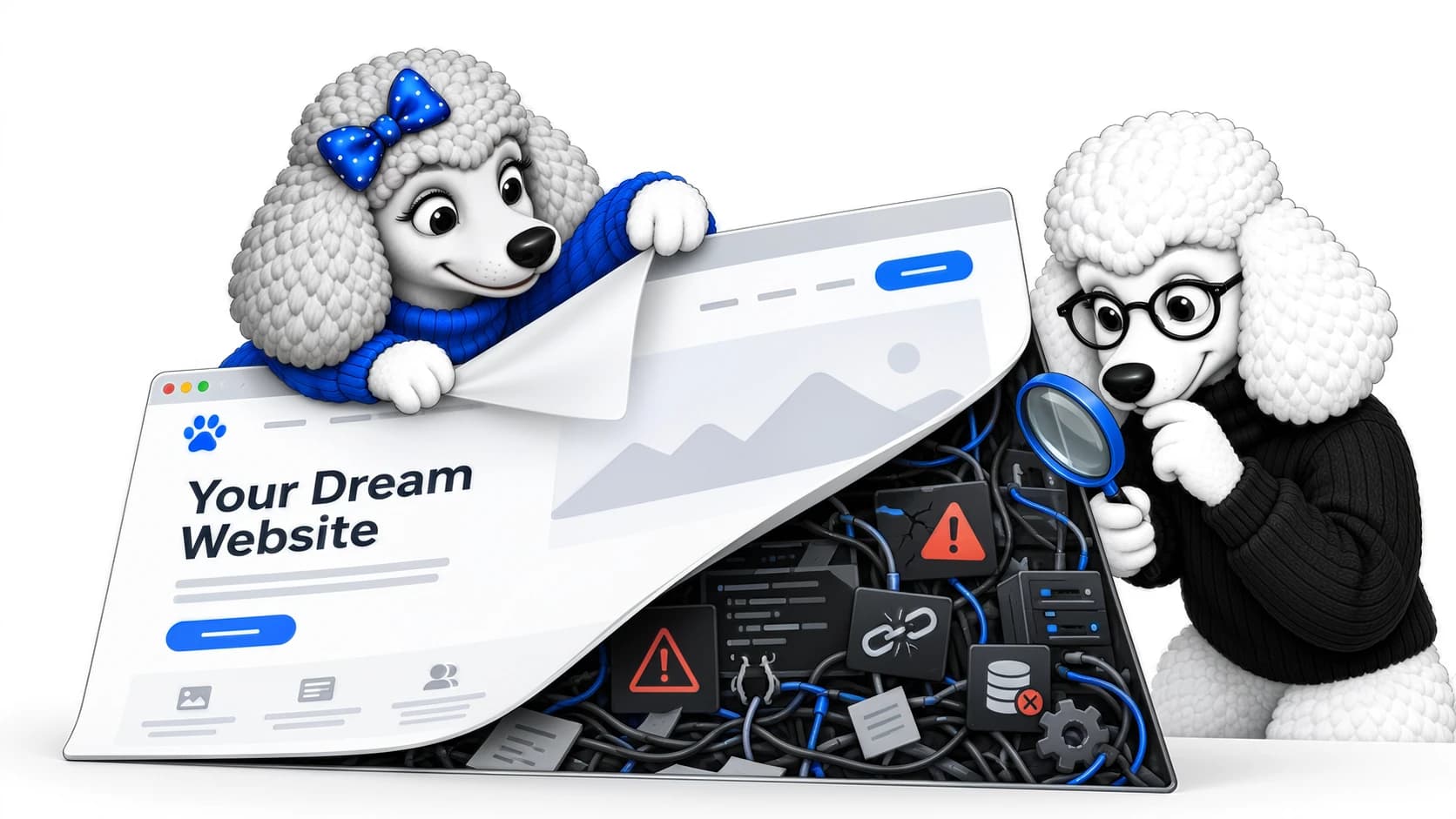
Even a website that looks professional can have security issues, unreliable features, or code that’s hard to maintain.
When your website starts handling customer information, payments, or important business tasks, these problems can become much more serious.
Vibe coding isn’t automatically risky. The real danger is relying on software you don’t fully understand, especially if it hasn’t been properly reviewed or tested.
What is vibe coding?
Vibe coding means you tell an AI coding tool what you want, and it creates and updates the code for you.
Instead of writing a booking system yourself, for example, you might ask:
“Build me a booking system where customers can choose a course, select a date, pay online and receive a confirmation email.”
The AI writes the code and helps put the application together.
If you want another feature, you ask for it.
If something breaks, you describe the problem and ask the AI to fix it.
You can keep building your project without really understanding the code behind it.
This is a great way to try out an idea or build a prototype.
But having a working prototype is not the same as having a business-ready application.
Here are six risks you should know about before using an AI-built website for your business.
1. Your website might look finished without working properly
One of the biggest risks with vibe coding is assuming that because something looks right and passes a few basic tests, it’s ready for customers.
A booking form might work during testing but fail when several people use it at the same time.
An online checkout might process a normal order but calculate discounts or delivery charges incorrectly.
A customer account area might display the correct information for one user while accidentally allowing access to another customer’s data.
These problems aren’t always visible.
Sometimes they only appear under particular conditions, when customer numbers increase or when someone uses the website in an unexpected way.
How a simple booking system can go wrong
Imagine you run a training business.
You’ve used an AI coding tool to build a system where customers can choose a course, book a place and pay online.
You test the booking process yourself. Everything works.
A few weeks later, two customers try to book the final available place on the same course at almost exactly the same time.
Both bookings are accepted.
Now the course is overbooked.
The issue is that the system checks availability but doesn’t reliably prevent two people from booking the same spot at the same time.
This is known as a race condition.
It isn’t unique to AI-generated software. Experienced developers can introduce race conditions too.
The important difference is knowing that this type of problem can occur and designing and testing the system to handle it.
Your original tests didn’t reveal the problem because you weren’t testing simultaneous bookings.
And unless you understand how the system manages availability, you might never identify the underlying cause.
The lesson: testing whether something works once isn’t the same as testing whether it works reliably.
2. AI-generated code can become difficult to maintain
AI coding tools can be very effective at building individual features.
But a business website isn’t just a collection of unrelated features.
The frontend, backend, database, hosting, security and third-party integrations all need to work together.
Changes to one part of the application can affect something somewhere else.
Without a clear technical structure and proper oversight, AI-assisted development can introduce:
- Duplicate or unnecessary code.
- Inconsistent approaches to similar problems.
- Poorly structured databases.
- Dependencies that become difficult to manage.
- Features that work independently but conflict when combined.
- Quick fixes that introduce problems elsewhere.
At first, development can feel incredibly fast.
You ask for a feature, the AI builds it, and you move on.
But as the application grows, that speed can disappear.
A small change might suddenly take hours to investigate because nobody fully understands how the different parts of the system interact.
The problem isn’t necessarily that AI wrote the code.
It’s that nobody has taken responsibility for the overall architecture.
3. Security vulnerabilities aren’t always obvious
A website can have a working login page, password protection and an attractive interface while still having serious security weaknesses.
For example, an application might allow a logged-in customer to access another customer’s records because the backend doesn’t properly check permissions.
An API might expose information that should never be publicly accessible.
Or sensitive credentials might accidentally be included in code or configuration that others can access.
Common areas of concern include:
- Authentication and user permissions.
- Exposed API keys and credentials.
- Insecure database access.
- Missing server-side validation.
- Poor handling of personal information.
- Outdated or vulnerable third-party packages.
- Incorrect hosting or deployment configuration.
AI can generate secure code, but it can also generate insecure code.
The outcome depends on the tools, instructions, architecture and testing involved.
For someone without development experience, distinguishing between the two can be difficult.
And if your website processes personal information, the relevant organisation remains responsible under UK data protection law.
Using AI to build the software doesn’t remove those obligations.
Can you ask AI to check its own code?
Yes, and AI-assisted code review can be useful.
It may identify bugs, highlight suspicious patterns and suggest improvements.
But asking an AI tool whether its own application is secure isn’t the same as an independent technical review.
Important systems need appropriate security checks, testing and developer oversight.
4. Every new fix could introduce another problem
Imagine you’ve built an online shop using AI.
A customer reports that discount codes aren’t working.
You explain the issue to your AI coding tool, and it generates a fix.
The discount code now works.
Unfortunately, the change also affects how delivery charges are calculated.
You ask the AI to correct that too.
Now refunds behave differently.
Before long, you’re trapped in a cycle of fixing one problem only to discover another.
This doesn’t happen with every AI-built website, and traditional development projects can experience the same problem.
But without a disciplined development process, it becomes much easier to make changes without understanding their wider effects.
An experienced developer should investigate the cause, consider what else might be affected, and test the change before releasing it.
That process might include:
- Version control to track changes.
- A staging or testing environment.
- Automated tests for important functionality.
- Checks that existing features still work.
- A reliable deployment and rollback process.
AI can assist with all of these tasks.
But simply prompting it to make another change doesn’t guarantee the result is safe to deploy.
5. A cheap website can become expensive to maintain
One of the biggest attractions of vibe coding is the relatively low initial cost.
Why spend thousands developing something when an AI subscription can help you build an early version yourself?
For testing an idea, that can be a sensible decision.
But the initial cost is only part of the picture.
As a business grows, you might discover that:
- Adding new features requires significant rework.
- Existing code is difficult for another developer to understand.
- An integration has been built in a way that makes future changes difficult.
- The application depends heavily on a particular platform.
- Fixing one problem requires investigating large parts of the system.
If you eventually bring in an experienced developer, they may first need to understand the architecture, database, configuration and deployment process before making changes safely.
That investigation costs time and money.
It doesn’t automatically mean you need to rebuild the website.
In many cases, you can retain and improve existing functionality.
But the money saved during development may be offset by the cost of investigating and correcting problems later.
The cheapest website to build isn’t necessarily the cheapest website to own.
6. AI doesn’t take responsibility when something goes wrong
If your website stops taking orders, your business deals with the consequences.
If a booking system overbooks customers, your business has to resolve it.
And if customer information is exposed, your legal responsibilities don’t disappear because an AI tool generated the code.
AI can help with troubleshooting, development and maintenance.
But someone still needs to understand the system, make informed technical decisions and take responsibility for operating it properly.
For a simple personal project, that might not matter very much.
For an online shop, customer portal or business-critical application, it matters considerably.
Where does vibe coding work well?
None of these risks means that businesses should avoid AI-assisted development.
We’re developers ourselves, and we recognise how useful these tools can be.
They can help accelerate development, automate repetitive tasks, test ideas and produce working prototypes.
The important consideration is how the software will be used and what happens if something goes wrong.
| Generally lower-risk uses | Higher-risk uses without proper oversight |
|---|---|
| Testing an early business idea | Launching a business-critical application |
| Building informational landing pages | Processing payments and refunds |
| Experimenting with layouts | Managing sensitive customer data |
| Creating small personal utilities | Building account and permission systems |
| Generating code for later review | Connecting important business systems |
| Testing features in development | Managing live bookings, stock and orders |
These aren’t absolute categories. The actual risk depends on the project, the data involved and how the software is deployed.
AI can also be used for complex, production-ready applications.
Those applications simply need suitable architecture, testing, security controls and ongoing maintenance.
Already built your website with AI? Five things to check
If you’ve already built a website or application using AI, there’s no need to assume it has serious problems.
Some AI-built systems have good foundations.
Others need targeted improvements before they’re ready for wider use.
Before relying on yours for important business operations, ask yourself these five questions.
1. Do you know where your customer data is stored?
If your website collects personal information, you need to understand where that data goes, which services process it and who can access it.
You should also know how you protect the information.
2. Have your important features been properly tested?
Don’t just test whether a payment or booking works once.
Consider what happens when payments fail, customers enter unexpected information, integrations stop responding, or two users perform conflicting actions.
3. Can you recover if something goes wrong?
Are backups being taken?
Do they include the database and other information needed to restore the application?
And have you tested the restoration process?
4. Can another developer understand and maintain the code?
Is the project structured clearly?
Are important integrations documented?
Can someone make a change without accidentally breaking another part of the system?
5. Do you understand how your website is hosted and deployed?
You should know which services your application depends on, how updates reach the live website and what happens if a deployment fails.
You don’t need to understand every technical detail yourself.
But you should know someone has checked the important parts and can support the system when needed.
Free checklist: Is Your AI-Built Website Ready to Launch?
Built your website using Lovable, Bolt, Replit, Cursor or another AI coding tool?
Before you launch it or start relying on it for your business, there are a few important things worth checking.
We’ve put together a free, printable checklist covering security, customer data, essential functionality, backups, hosting and ongoing maintenance.
You don’t need to be a developer to use it. It’s designed to help you identify what you know, what you’re unsure about and where you might need some technical advice.
Download the free AI Website Launch Checklist (PDF)
If you can’t confidently answer some questions, it doesn’t automatically mean there’s something wrong with your website. It simply means those areas may be worth reviewing before you rely on it.
Can an AI-built website be fixed, or will it need rebuilding?
One concern we hear about AI-generated websites is whether a professional developer will simply recommend starting again.
That shouldn’t be the automatic response.
Some websites have a reasonable underlying structure and only need a few specific problems resolved.
Others require improvements to security, testing, database design or deployment.
And some have more fundamental architectural issues that make continued patching poor value.
The only sensible way to decide is to investigate what’s actually been built.
At Poodle Collective, we keep what works and fix what doesn’t, wherever that makes technical and commercial sense.
We will recommend a rebuild only when there’s a clear reason, not simply because the original code was generated using AI.
How Poodle Collective can help with an AI-built website
We help businesses diagnose, repair and improve websites and applications built using AI tools.
If your website has stopped working, features are unreliable or repeated AI-generated fixes aren’t solving the problem, our AI Website Review costs £395.
This is a focused diagnostic review. We investigate the reported problem, review the relevant parts of the application, and provide a clear explanation of what we find and what should happen next.
If development is needed, we explain the options and agree the scope and cost before proceeding.
Nothing broken, but want to know whether your website is ready to launch?
We also offer a separately scoped Code & Readiness Review, covering appropriate areas such as code structure, security configuration, authentication, databases, integrations, deployment and testing.
The scope and price depend on your application.
You work directly with experienced UK-based developers with over 30 years of combined web development experience.
We don’t automatically recommend rebuilding AI-generated websites. We start by understanding what you’ve already built.
Explore our AI Website Support services
The bottom line: AI can write the code, but someone still needs to understand it
Vibe coding is making software development accessible to people who might never have considered building their own applications.
That’s a positive development.
But producing working code and building reliable business software aren’t always the same thing.
When a website starts handling customer data, payments or important business processes, appropriate testing, security and technical oversight become essential.
AI can make development faster.
It doesn’t remove the responsibility of making sure your business systems work properly.
For practical website advice, development insights and discussions about AI-built applications, follow Chris at Poodle Collective on LinkedIn.